Skip to content
Book Appointment
Home
Directions
Earbuds
Privacy Policy
Menu
Home
Directions
Earbuds
Privacy Policy
Quiet Zone Directions
Join Zoom Tutorial
1. Create a Quite Zone
2. Install HeardThat App
3. Voice Capture
Advanced Features
Reduce Echoes
Listen to Music, TV, etc.
Add External Microphone
Customize Hearing Profile
Previous Step
Next Step
3. Voice Capture with HeardThat
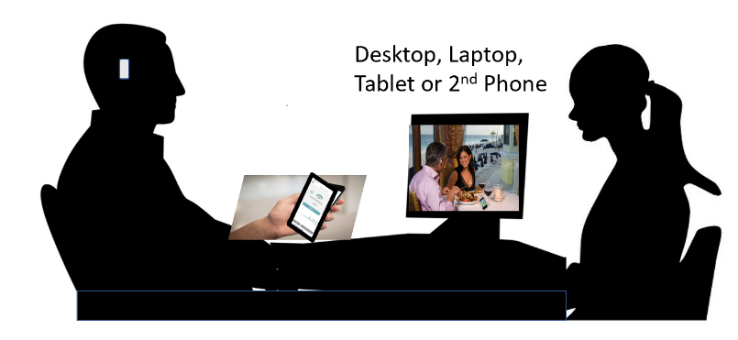
Arrange yourself and your helper, as shown here. Place your computer farther away than your helper in any direction
Have your earbuds in your ears and in Quiet (Noise Cancelling) mode
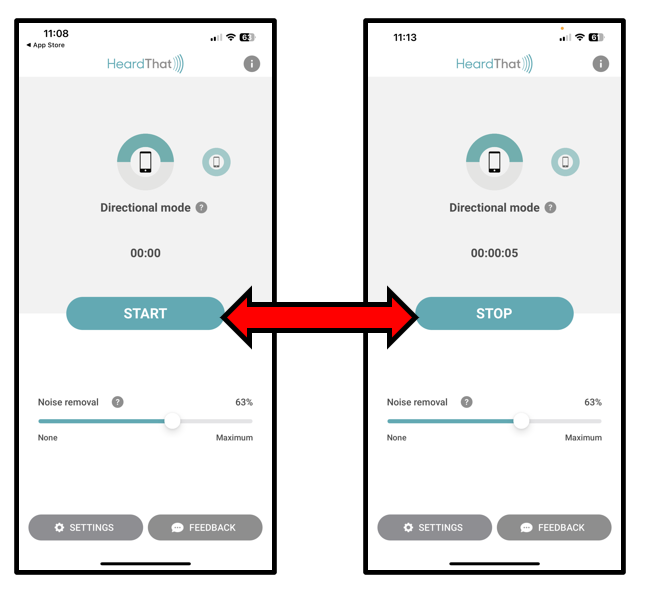
Start the HeardThat app running on your phone
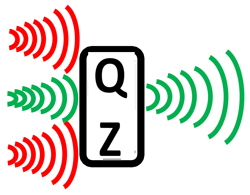
Point the top of the phone toward your helper and ask them to speak at normal volume
Using the buttons on the side of your phone, adjust the volume so can hear them clearly and comfortably
Switch your earbuds to Aware (Transparency) mode
Click to play background noise
https://hearinnoise.com/wp-content/uploads/2023/11/Busy_Restaurant.mp3
Using the volume control turn
up
the
noise
enough
to
interfere
with
hearing your helper speaking at a normal level
Switch your earbuds to Quiet (Noise Cancelling) mode
As your helper speaks to you, click “Stop” and “Start” in the HeardThat app and notice the difference that makes in how well you hear them
Raise your hand to get your tutor’s attention. When the tutor is connected, share your impressions of the Quiet Zone.
Previous Step
Next Step