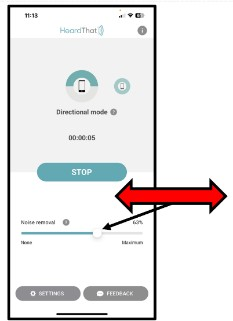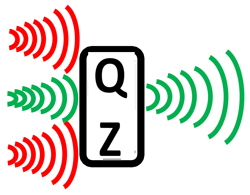
Ordinarily, the Quiet Zone removes background sounds, including music. When you want to hear music or sounds other than voices, use the slider in the app to decrease the noise removal. To try this, follow these steps.
- With your earbuds in your ears and paired to your phone, switch the earbuds to Quiet (Noise Cancelling) mode
- Start the HeardThat app in Directional mode and click Start
- Speak into the top and bottom of the phone to assure that you hear yourself through the earbuds when speaking into the top of the phone
- Click to play some music
- Point the phone toward the music and use your finger to adjust the HeardThat Noise removal slider left and right, as shown in the illustration on the right
- If you have any problems, talk to your tutor
Tip: Sometimes when listening to some people or television, you may understand them better at less than 100% noise removal.